

I’ve been managing Google Ads accounts for nearly 20 years, and Performance Max is probably the most controversial campaign type in the industry. Half of agencies love it because the algorithm does most of the work; the other half hates it because it takes away granular control and burns through the budget without showing exactly where the spend is going. The truth, as is often the case, lies somewhere in the middle.
This article is the guide I give my clients when they ask me whether to enable PMax on their account. You’ll see real data, concrete examples, and the cautionary tales I’ve learned from auditing accounts where PMax ate up 70% of the budget without generating a return. If you need some general context on pricing first, read our guide on how much Google Ads costs in Colombia.
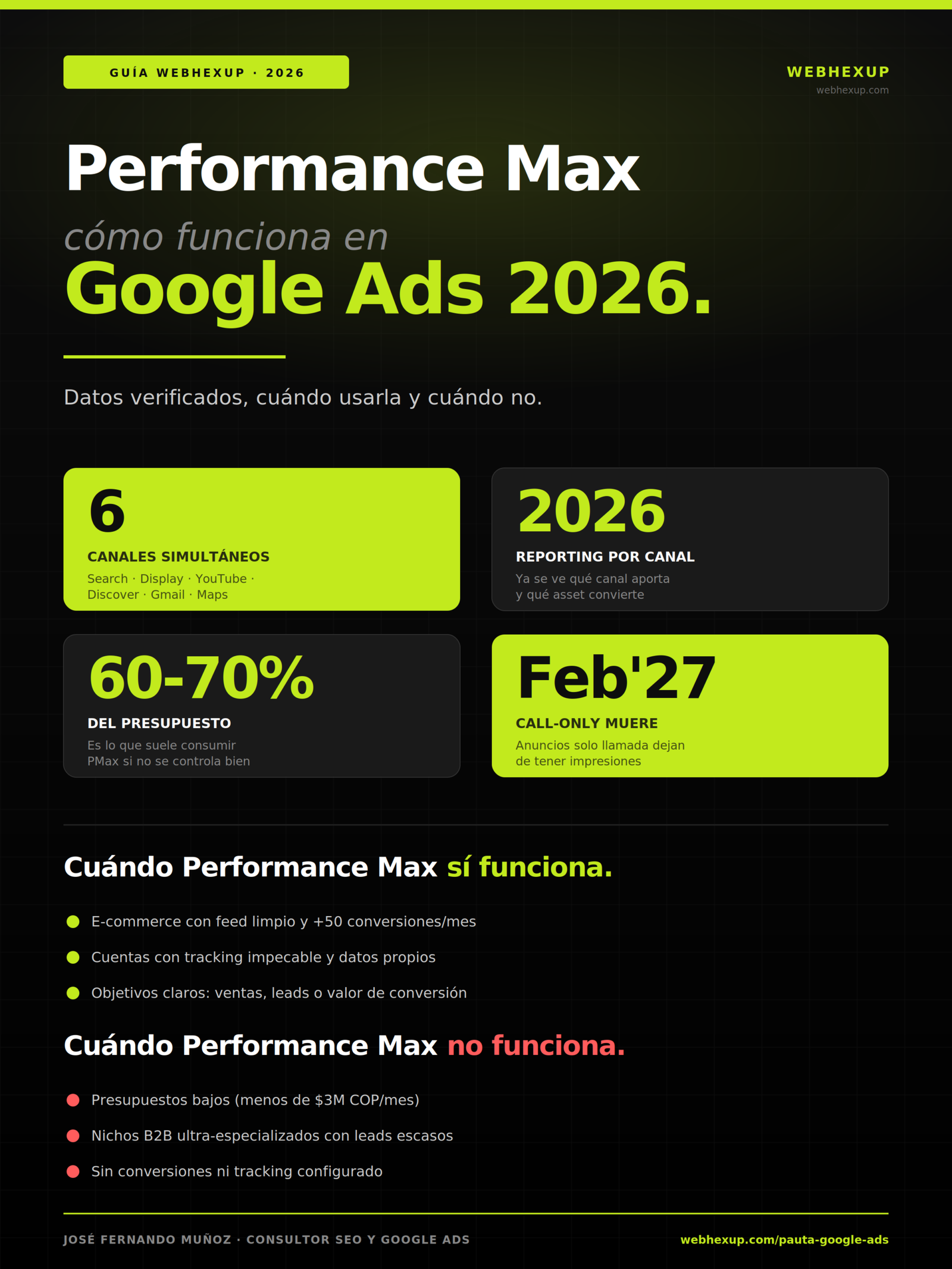
Summary infographic of this guide. Download it, share it with your team, or embed it on your blog using the code below (we just ask that you keep the attribution link).
What is Performance Max
and how does it work in Google Ads?
Performance Max is a type of Google Ads campaign that was launched as a unified replacement for several separate campaigns. With a single campaign, your ads automatically appear across all six Google channels—Search, Display, YouTube, Discover, Gmail, and Maps—and the algorithm decides in real time where, when, to whom, and with what combination of text and images to show your ad, based on the conversion goal you define.
The name “Performance Max” comes from this idea: maximizing conversions by leveraging all of Google’s inventory at once—something that previously required creating multiple separate campaigns and coordinating them manually. You provide the assets (headlines, descriptions, images, videos, audience signals, and a conversion goal), and the system does the rest: it selects which combination to show to each user at any given moment, how much to bid, and on which channel to appear.
The trade-off is that you lose granular control over which specific keyword your ad appears for, the exact placement, or the time of day. In return, you gain speed of execution and the ability to discover opportunities on channels you might not have tested manually. As Fran&Clau’s analysis of Google Ads 2026 aptly summarizes, PMax combines full inventory, machine learning, and goal-based optimization, but it requires high-quality assets and signals to work effectively.
What Changed in Performance Max
in 2026?
The 2026 changes are the most significant since PMax was launched. Google responded to long-standing industry criticism (lack of transparency, limited control, inability to audit) with a redesign that makes the campaign much more usable for reputable agencies. Here are the changes that are already affecting Colombian accounts:
Reporting at the channel and individual asset level
The change most requested for years. Now you can see exactly how much you spent on each channel (Search vs. YouTube vs. Display) and which individual asset (which headline, which image, which video) is driving conversions. Before, you were in the dark; now you have visibility. According to ALM Corp, if you tried PMax before and avoided it due to a lack of reporting, 2026 is a good time to reconsider it.
AI Max for Search Campaigns (the PMax add-on)
In 2025, Google launched AI Max for Search Campaigns, an AI layer built on top of traditional Search campaigns. It enables searches without exact keywords (the AI uses your website and user intent to display ads) and conversational campaign setup. AI Max doesn’t replace PMax; it complements it by covering the more structured side of Search.
Brand Guidelines and Improved Asset Studio
New options to control colors, fonts, and tone of voice in AI-generated ads. Previously, PMax generated variations that sometimes didn’t align with your brand identity. Now you can set guidelines and customization rules so that automatically generated assets maintain your brand’s look and feel.
End of “Call-Only” Ads
Google removed the ability to create call-only ads in February 2026. Existing ads will continue to run until February 2027, at which point they will stop receiving impressions. If your account relies on this format, you have less than a year to migrate to other campaign types, including PMax.
When should you use
Performance Max?
Performance Max isn’t for every account or every situation. After managing dozens of PMax campaigns for accounts in Colombia and the U.S., these are the scenarios where I consistently see it perform well:
When Should You NOT Use
Performance Max?
There are scenarios where PMax is directly counterproductive. If your account falls into any of these categories, you’re better off investing your budget in well-structured Search campaigns or traditional Shopping campaigns:
How do you set up Performance Max
correctly?
Setting up PMax right from the start saves you weeks of misguided trial and error. Here’s the workflow I use with clients when we launch a new campaign:
- Define the actual conversion goal first: high-value sale, qualified lead (not just any form submission), or a call lasting more than 60 seconds. If your “conversion” is just any button click, PMax won’t learn anything useful.
- Set up complete tracking before launching: GA4 + Google Tag Manager + Enhanced Conversions + Consent Mode v2 + Google Ads conversion tracking. Don’t even start without this.
- Upload asset groups organized by topic: at least 5 headlines, 5 descriptions, 5 images, and 1 video (even a simple one using Google’s Asset Library). One group per product line or service.
- Add audience signals: these are suggestions to the algorithm about who it should show ads to. They aren’t strict targeting; they’re starting points. Upload customer lists using Customer Match, website audiences, and in-market audiences.
- Link Merchant Center if you’re an e-commerce business: the product feed is PMax’s most powerful asset for retail. Without a feed, you lose half the advantage.
- Set up brand exclusions from day one: your own brand must be on the negative keyword list to avoid cannibalizing your organic traffic or your branded Search campaign.
- Allow at least 14 days for the system to learn without making any changes: adjusting settings every two days disrupts the calibration phase. Be patient for the first two weeks and evaluate the results in the third.
The quality of the assets you upload accounts for 60% of the results. A PMax campaign with generic creatives generates generic ads with low CTR; a PMax campaign with well-thought-out and varied creatives generates winning combinations that the system optimizes on its own. If you need high-quality conversion landing pages to accompany your PMax campaign, that’s the other critical half of the equation.
How do you interpret
the new PMax reports?
The 2026 reporting update was a game-changer. These are the three reports I review every week for every account with active PMax, in order of importance:
| Report | What It Tells You | What to Look For |
|---|---|---|
| Performance by Channel | How much you spent and how many conversions came from Search, Display, YouTube, Discover, Gmail, and Maps | Channels that consume a lot without converting → a signal to exclude or limit |
| Performance by asset | Which individual headlines, descriptions, images, and videos are performing best | Assets with “Low” performance → replace; with “Good” → duplicate the pattern |
| Search terms | Which actual search queries triggered your campaign | Irrelevant terms → add to negative keywords; winning terms → create a dedicated Search campaign |
| Segment categories | Which audiences is the algorithm showing ads to? | Unexpected winning audiences → opportunity to expand |
| Ad diagnostics | Why your ads aren’t showing in some auctions | Low-quality assets, low Ad Strength → improve assets |
The rule I follow: I spend 20 minutes each week on these five reports. In just one hour per month per account, the 2026 reporting gives me as much information as I used to have to extract using URL parameters, custom columns, and pivot tables. It’s a massive operational leap forward.
Common
mistakes when using Performance Max.
These are the mistakes I see most often when auditing other people’s accounts with PMax enabled, and they’re all avoidable:
- Enabling PMax with a low budget while expecting quick results: with less than 3 million COP per month, the learning phase never ends, and the campaign continues to waste money without optimizing.
- Failing to add your own brand as a negative keyword: PMax can end up cannibalizing your organic brand traffic, inflating conversions you would have already gotten for free.
- Uploading only one creative per type: The algorithm needs to combine variations to optimize. A single headline and a single image = a single generic ad.
- Changing everything every three days: You’re disrupting the learning phase over and over again. PMax needs at least 14 days to calibrate.
- Ignore the new channel-specific reporting: With the 2026 transparency requirements, failing to review where your budget is going is unforgivable.
- Relying on PMax as your only campaign: it’s just another campaign type, not a complete replacement. Combine it with structured Search and separate video campaigns for YouTube branding.
- Don’t exclude irrelevant searches: if you sell professional services, “free work” in your search terms is bleeding your budget dry.
A real-life example I saw recently: a Colombian e-commerce account with 15 million COP in monthly spend, PMax consuming 78% of the budget, and a ROAS of 1.4x when the target was 3.5x. The cause was a combination of three mistakes: no negative keywords, duplicate assets from another campaign (no variety), and no channel review. We corrected all three, and within a month, the ROAS rose to 3.1x without changing the budget. It wasn’t magic—it was interpreting the reporting that Google was already providing us.
The Essentials of Performance Max
in Google Ads 2026.
Performance Max (PMax) is a Google Ads campaign type that uses artificial intelligence to serve ads across Google’s six channels (Search, Display, YouTube, Discover, Gmail, and Maps) from a single campaign with a single objective. In 2026, following the announcements at Google Marketing Live, PMax ceased to be a black box: it now offers reporting at the channel and individual asset levels, allowing you to see exactly where your budget is being spent and which creative combinations are performing well. AI Max for Search Campaigns was also launched as a complementary AI layer on top of traditional Search campaigns.
Performance Max works well for accounts with a clean Merchant Center feed, more than 50 monthly conversions, flawless tracking (Enhanced Conversions, Consent Mode v2), clear conversion goals, a sufficient budget (minimum of $3 million COP per month), and as a complement to structured Search campaigns. It does not work well with low budgets, ultra-specialized B2B niches with scarce leads, accounts without conversions or tracking set up, or new accounts without historical data.
Proper setup requires defining a realistic conversion goal, installing complete tracking before activation, uploading a variety of ad assets (at least 5 headlines, 5 descriptions, 5 images, and 1 video), adding audience signals, linking Merchant Center if applicable, excluding your own brand, and allowing at least 14 days for the system to learn without making any changes. The most costly mistakes are launching with a low budget, failing to exclude irrelevant searches, uploading only one ad asset per type, changing everything every three days, and ignoring the new channel-specific reporting. With active weekly management and the 2026 reporting, PMax can outperform a mix of separate campaigns by 20–40%.
We answer your questions about
Performance Max in Google Ads.
José Fernando Muñoz Álvarez
Digital consultant with nearly 20 years of experience managing Google Ads campaigns for Colombian and U.S. companies. Founder of Webhexup, an SEO-first agency in Medellín where he combines digital advertising, SEO, and AI Visibility. Previously, he was a co-founder of Eggs Blogs Casa Creativa and e-ideas Digital Agency. He shares honest insights on digital advertising strategy and the latest Google Ads updates on LinkedIn (jfmonin).
