

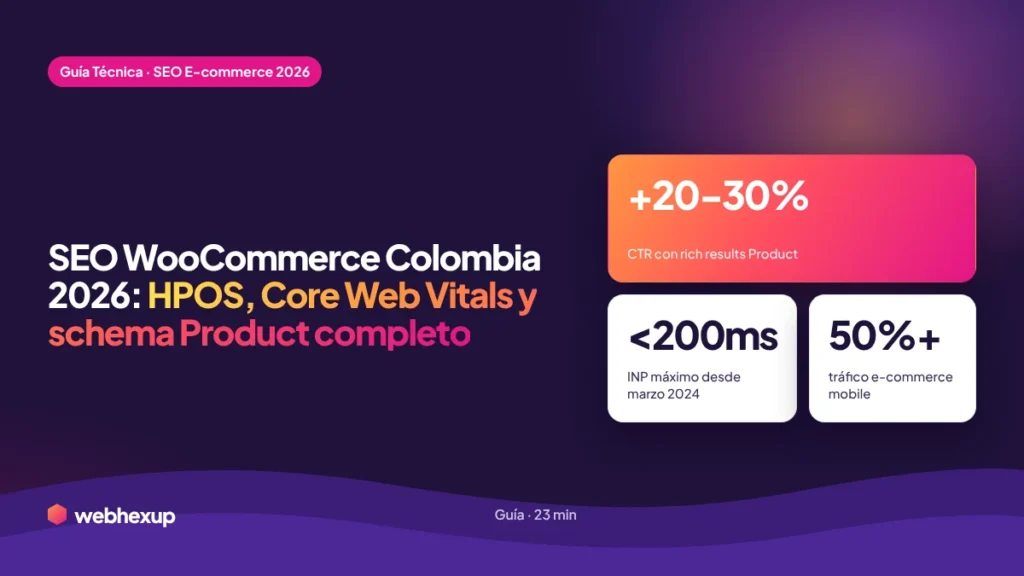
wp_posts), strict Core Web Vitals with an INP below 200 milliseconds, complete Product schema with Offer, AggregateRating, Review, and Brand (rich results increase CTR by 20% to 30%), crawl trap control in faceted navigation (filters generate hundreds of duplicate URLs if not controlled with canonical tags and robots.txt), and a clean feed for Google Merchant Center Colombia. With more than 50% of e-commerce traffic coming from mobile devices starting in 2023, and with AI Overviews accounting for 14% of shopping queries in March 2026 (up from 2.1% in November 2025), anyone who fails to implement the three pillars—performance, structure, and content—will systematically lose ground in rankings to better-optimized competitors. In this guide, I cover the entire stack with copy-and-paste code, hosting and theme decisions, and common mistakes I see every week in audits.I’ve been doing SEO for online stores for nearly 20 years and have audited over 300 WooCommerce sites in Colombia and the United States. The pattern I see is always the same: stores with a good product catalog, competitive products, and realistic prices, but with technical architecture that drags down their rankings. In 2026, the thresholds are stricter: Google has been measuring INP instead of FID since March 2024, HPOS went from being opt-in to recommended by default for new installations, and AI Overviews is redistributing shopping traffic in real time.
This is the guide I use for actual audits. It covers the entire stack with copy-and-paste code (enabling HPOS, WooCommerce robots.txt, JSON-LD product schema, CSV feed for Merchant Center), hosting and theme decisions, and common errors. If your store has fewer than 500 orders per month, start with performance; if you’ve already exceeded that volume, start with HPOS and then move on to performance. We implement all the technical services I mention in our e-commerce SEO projects. For additional context, you can also read the 2026 Technical SEO Checklist and the SEO + AI Product Page Guide.
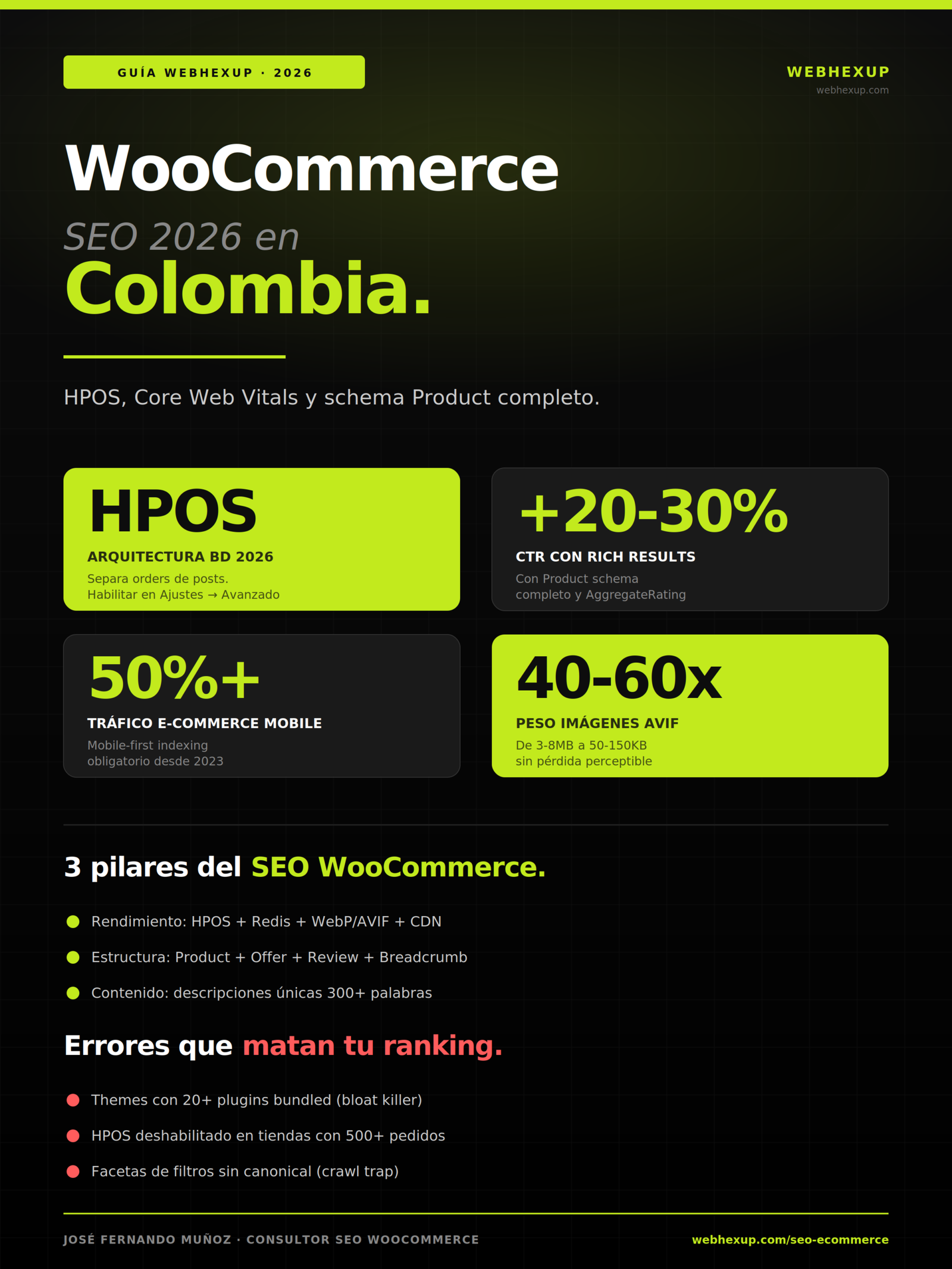
Infographic summarizing the key data and pillars of WooCommerce SEO 2026. Download it, share it with your team, or embed it on your blog using the code below (we just ask that you keep the attribution link).
What is WooCommerce
SEO and why is it different?
WooCommerce SEO is the discipline of optimizing online stores built on WooCommerce (the world’s most widely used e-commerce plugin for WordPress, with about 28% of the global market share according to W3Techs) to rank on Google, in AI Overviews, on Perplexity, and in ChatGPT Search. It is not equivalent to generic WordPress SEO because WooCommerce introduces elements that a content-only site does not have: product pages with variants, categories with faceted navigation, shopping cart and checkout, order tables, Merchant Center feeds, Product schema with Offer, and conversion flows that can negatively impact Core Web Vitals if left unmanaged.
The practical difference: while a WordPress blog can pass the Core Web Vitals with basic caching and an optimized hero image, a WooCommerce store with 500 products, 12 faceted filters, and an AJAX checkout has 20 times more potential for technical issues. And worse still: the patterns that worked in 2020 (jQuery sliders, “quick view” plugins with 40KB of blocking JS, floating mini-carts reloading every second) now destroy INP and kill rankings.
The Three Pillars of WooCommerce SEO 2026
Everything I cover in this guide is organized into three interdependent pillars:
- Performance: HPOS enabled, hosting with Redis object cache, lightweight theme (Astra, Kadence, or GeneratePress), images in WebP or AVIF, deferred loading of third-party scripts, CDN with Cloudflare APO or similar.
- Structure: Complete product schema with Offer, AggregateRating, Review, and Brand; BreadcrumbList at every level; canonical control in facets; segmented sitemap.
- Content: Unique product descriptions (minimum 300 words, without copying from the manufacturer); category content with intent alignment; descriptive alt text; comparison tables when the product warrants it.
If you fail in one of these three areas, the other two won’t make up for it. It’s like a three-legged table: remove one leg, and the other two fall over. I see this constantly in audits: stores with perfect schema but an LCP of 5 seconds, or with excellent performance but descriptions copied from the manufacturer. Zero ranking in both cases.
HPOS: the most important
new feature of the year in WooCommerce.
HPOS (High-Performance Order Storage) is WooCommerce’s new database architecture that separates order tables from the generic post type wp_posts. In practical terms: previously, every order from your store was just another post in the main WordPress table (alongside blog posts, pages, and any custom post types), which slowed down queries as the product catalog or order history grew. With HPOS, WooCommerce has its own dedicated tables for orders (wp_wc_orders, wp_wc_orders_meta, wp_wc_order_addresses, among others), and administrative queries, filters, and reports run much faster.
How to Enable HPOS in Your WooCommerce Store
In new WooCommerce 8.2+ installations (late 2023 and later), HPOS is enabled by default. For older stores that have migrated or are still on the classic architecture, the process is:
Synchronization takes between 30 seconds and 20 minutes, depending on the volume of historical orders. Once complete, you’ll see immediate improvements in the speed of the order list in the admin panel (especially if you have more than 5,000 historical orders) and reduced database load during peak traffic hours.
wp_posts directly instead of using the WooCommerce API. Always test on staging first for at least 48 hours.Core Web Vitals for WooCommerce:
LCP, INP, and CLS.
The Core Web Vitals thresholds that Google will use in 2026 are strict: LCP under 2.5 seconds, INP under 200 milliseconds (which replaced FID in March 2024), and CLS under 0.1. Any page that fails to meet one of these three metrics will systematically lose ranking, and in the e-commerce sector—where competition for transactional queries is fierce—this translates to a direct loss of revenue.
LCP: The Hero Image on the Product Page
The LCP (Largest Contentful Paint) element on a WooCommerce product page is almost always the product’s main image. The solutions we implement:
- Convert all main images to WebP (5–8x lighter than JPEG at equivalent quality) or AVIF (40–60x lighter, supported in Chrome, Edge, Firefox, and Safari starting in 2023)
- Add
fetchpriority="high"to the hero image’s attribute (tells the browser to download it with the highest priority) - Do not use lazy-loading in the first viewport (use lazy-loading only starting with the second image and beyond)
- Resize images to their actual render size; never serve a 3000×3000px image that is displayed at 600×600px
- Use `preload` in the HTML:
<link rel="preload" as="image" href="..." fetchpriority="high">
INP: The Silent Killer of WooCommerce Stores
INP (Interaction to Next Paint) measures the delay from when the user clicks, taps, or types until the interface responds visually. In WooCommerce, the classic problem is blocking JavaScript from plugins: live chat, “quick view,” floating mini-cart, discount pop-ups, and third-party widgets. They all add to the main thread and easily push INP above 400 ms.
The strategy that works:
- Defer all third-party scripts (Google Tag Manager, Facebook Pixel, chat, pop-ups): add the attribute
deferorasyncas appropriate - Split the theme’s JS bundles: don’t load on the homepage what’s only used on the product detail page (variants, gallery, review submission)
- Replace heavy plugins with lightweight alternatives: instead of wishlist plugins with 200 KB of JS, use
localStoragewith just 2 KB of custom code - Defer the mini-cart and AJAX cart until actual interaction: do not load the full bundle until the user clicks the cart icon
CLS: layout shifts for prices and variants
CLS (Cumulative Layout Shift) measures unexpected movements of elements during loading. In WooCommerce, typical causes include: prices loaded via AJAX after the initial render, variants appearing below the selector, images in the gallery without reserved dimensions, and fonts without font-display: swap that cause FOIT (Flash of Invisible Text). Solution: Reserve explicit space with width and height for images; serve the price via server-side HTML without relying on AJAX; and use a system fallback font with metrics similar to the custom font (font-family: 'Inter', -apple-system, sans-serif).
Complete Product schema:
copy-and-paste code block.
The Product schema in WooCommerce is the biggest differentiator between a store that appears with rich results on Google and one that appears as a plain result. Rich results increase the CTR by an average of 20% to 30% in the e-commerce sector, and as of 2026, they are the foundation for appearing in AI Overviews for shopping queries.
The minimum schema that every product page must include:
Offer and without AggregateRating. This is the most common issue I see in audits: SEO plugins that generate a minimal Product schema (only name and image) and fail to trigger rich results. Rank Math Pro and Yoast SEO Premium do generate a complete schema if you correctly activate the WooCommerce module; the free version of Yoast SEO does not.Product page
optimization.
The product page is where rankings for transactional queries are determined. The elements you should check on each product page:
Product title (H1 and title tag)
It should include the product name, a unique selling point, and location when applicable. Bad: “T-shirt.” Good: “220g Organic Cotton Oversized T-shirt — Medellín Brand.” Very good: “220g combed organic cotton oversized T-shirt in 5 colors — Shipping within Colombia.” The optimal length is 55–65 characters for the title tag; the H1 can be slightly longer.
Unique description of at least 300 words
Never copy the description from the manufacturer or supplier. Google detects duplicate content compared to other stores selling the same item and prioritizes the first one to index it. Write an original description that answers: what the product is, what materials it’s made of, its dimensions, how it solves the buyer’s problem, the context in which it’s used, what it pairs well with, and how to care for it. This also applies to AI Overviews because AI engines prioritize context-rich descriptions over manufacturer descriptions.
Images with Descriptive Alt Text
Every product image should have alt text that describes what’s shown, not just the product name. Bad: alt="camiseta". Good: alt="Camiseta oversize algodón orgánico color negro, vista frontal, modelo talla M". Multiply that by 4–6 images per product = significant cumulative SEO benefit.
Verified buyer reviews
Enable customer reviews in WooCommerce (Settings → Products → Reviews). Each review adds unique content to the product page, replaces AggregateRating, and generates long-tail keywords that rank on their own. Plan: Automatically request a review 7 days after the order is completed, with a small incentive (5% off the next purchase) if necessary.
Contextual cross-selling and upselling
WooCommerce allows you to set up cross-sells (in the cart) and upsells (on the product page). When set up correctly, this increases the average order value and time on page. “Set up correctly” means: genuinely complementary products, not random items from the catalog.
Faceted navigation:
controlling crawl traps.
Faceted navigation (filters for price, size, color, brand, etc.) is the number one cause of crawl traps in WooCommerce: Google finds thousands of URLs with parameters (?filter_color=negro&filter_size=m&order=price) that are essentially the same page with filtered products. This consumes the site’s crawl budget and dilutes the authority of the main categories.
It’s estimated that in WooCommerce stores without facet control, 30–40% of the crawl budget is wasted on filter URLs. And those URLs don’t rank for transactional keywords because they compete with each other and against the parent category.
Solution 1: Block parameters in robots.txt
Solution 2: Set the canonical tag to the parent category
On each facet URL, the canonical tag should point to the unfiltered parent category. This is done automatically with Rank Math or Yoast if you configure the parameterized canonical options. Check the HTML for <head>: <link rel="canonical" href="https://tutienda.com/categoria/camisetas/">.
Solution 3: noindex, follow in URLs with parameters
Set the meta robots tag on URLs with parameters: <meta name="robots" content="noindex, follow">. Google does not index these URLs but follows the internal links to products, which we do want to index. This is the current standard for faceted navigation in 2026.
Google Merchant Center
feed for Colombia.
The Merchant Center feed is how your products appear on Google Shopping, in the Google Shopping tab, in Performance Max ads, and now also in AI Overviews for shopping queries. A clean feed with the correct fields multiplies reach and CTR.
The required fields for the Colombian market are:
compatible_accessories, product_substitutes, and common_question_answers. Sites that use them appear with greater visibility in Universal Cart (launched at Google I/O on May 19, 2026), which unifies shopping across Search, Gemini, YouTube, and Gmail. It’s worth implementing them even though they’re optional.Recommended Stack for 2026:
hosting, theme, and plugins.
After conducting more than 300 audits of WooCommerce stores in recent years, this is the stack that consistently works in Colombia with monthly budgets ranging from $100 to $500 USD:
| Category | 2026 Recommendation | Notes |
|---|---|---|
| Managed Hosting | Kinsta, Cloudways, WP Engine | With LiteSpeed or Nginx + Redis object cache |
| Lightweight theme | Astra, Kadence, GeneratePress | Zero bloat, full WooCommerce compatibility |
| SEO plugin | Rank Math (recommended) or Yoast Premium | Both generate a complete product schema if you configure the WooCommerce module |
| Cache + optimization | WP Rocket or LiteSpeed Cache | Redis object cache, defer JS, automatic image optimization |
| CDN | Cloudflare (Pro or APO plan) | Cloudflare APO adds dynamic HTML caching |
| Images | ShortPixel, Imagify, or Optimole | Automatic conversion to WebP/AVIF |
| Reviews | Judge.me, Yotpo, or native WooCommerce reviews | Verify that they generate schema Review |
| Analytics | Google Analytics 4 + server-side Google Tag Manager | Server-side reduces impact on INP |
Optimized wp-config settings for WooCommerce
With this stack and HPOS enabled, a typical WooCommerce store with 200–1,000 products consistently achieves all three CWV metrics in the green, an LCP between 1.4 and 1.8 seconds, an INP under 150 milliseconds, and a CLS under 0.05. And the backend responds in tens of milliseconds even with thousands of historical orders.
AI Overviews
in shopping queries.
Google AI Overviews accounted for 14% of shopping queries in March 2026, up from 2.1% in November 2025 (Search Engine Land, analysis of 20.9 million SERPs). That’s a 6.6x increase in five months. The projection for the second half of the year is that it will exceed 25%.
For your WooCommerce store to appear in AI Overviews for queries such as “best oversized T-shirt in Colombia” or “where to buy running shoes in Medellín,” you need:
- A complete product schema including Offer, AggregateRating, Review, Brand, and ShippingDetails (AI systems need structured data to reference)
- Context-rich descriptions with technical specifications (material, measurements, origin, care instructions, use cases)
- Verified reviews with genuine content (no one-line reviews; AI systems prioritize quality)
- Early-stage decision-making content: comparison guides, “how to choose X” articles that link to product pages
- Anchored entities: mention brand, city, and technical features by specific names
- Merchant Center feed updated with the three new 2026 attributes:
compatible_accessories,product_substitutes,common_question_answers
Stores that use this method consistently appear in AI Overviews 3 to 6 months after implementation. It’s cumulative: the more well-structured listings you have, the more queries they cover.
Common
errors that kill your ranking.
These are the most frequent errors I see in audits of WooCommerce stores in Colombia. All are avoidable if you know what to look for:
- Bloated theme with 20+ bundled plugins: Divi, Avada, Enfold, and similar themes come with heavy page builders that add up to 500KB+ of CSS and JS before the product page even renders. Switch to Astra, Kadence, or GeneratePress.
- HPOS disabled on stores with 500+ historical orders: The admin panel becomes unusable, and traffic spikes crash the database. Migrate to HPOS as soon as possible.
- Descriptions copied from the manufacturer: direct duplicate content. Google prioritizes the first site it indexed (usually the wholesaler or Mercado Libre). Write an original description of at least 300 words.
- Facets without canonical tags: 30–40% of the crawl budget is wasted on filter URLs. Apply canonical tags pointing to the parent category and block them in robots.txt.
- Minimal or non-existent product schema: no Offer, no AggregateRating, no ShippingDetails. Zero rich results. Zero visibility in AI Overviews.
- No Merchant Center feed or outdated feed: complete absence from the Shopping ecosystem. Google Ads and AI Overviews cannot find the product.
- 3–8 MB JPEG images on product pages: LCP at 5+ seconds; mobile is particularly affected. Convert to WebP or AVIF using ShortPixel or Imagify.
- Live chat blocking the main thread: Unoptimized Tawk.to, Tidio, and Zendesk cause INP to exceed 400 ms. Load the chat only after the user’s first interaction, or switch to lazy loading with IntersectionObserver.
- Fake or unverified reviews: Google detects suspicious patterns (all 5 stars, repeated generic text). Prefer Judge.me with purchase verification over manipulable native reviews.
- A single sitemap with thousands of URLs: It takes Google weeks to detect changes. Segment sitemaps by type: products, categories, pages, blog.
The combination of these errors is what causes most medium-sized WooCommerce stores in the country to be stuck with flat organic traffic. It’s not that WooCommerce is inferior to Shopify or VTEX—it’s just that almost no one optimizes it properly.
The essentials of this guide
in three paragraphs.
WooCommerce SEO 2026 combines three pillars: performance (HPOS enabled, hosting with Redis, a lightweight theme like Astra or Kadence, WebP or AVIF images, Cloudflare APO CDN), structure (complete Product schema with Offer, AggregateRating, Review, Brand, and ShippingDetails; BreadcrumbList; canonical tags in facets; segmented sitemap) and content (unique descriptions of at least 300 words, descriptive alt text, verified reviews). All three are interdependent: failing in one limits the potential of the other two.
The most significant development of the year is HPOS (High-Performance Order Storage), which separates order tables from wp_posts and speeds up the backend, reducing load during traffic spikes and indirectly improving CWV. Core Web Vitals now require an LCP of less than 2.5 seconds, an INP of less than 200 milliseconds (which replaced FID in March 2024), and a CLS of less than 0.1. AI Overviews accounted for 14% of shopping queries in March 2026 (up from 2.1% in November 2025), making a complete product schema and context-rich descriptions critical differentiators.
The most common errors in Colombian WooCommerce stores are: bloated themes (Divi, Avada), HPOS disabled with thousands of orders, descriptions copied from the manufacturer that generate duplicate content, and facets without canonical control that consume 30–40% of the crawl budget, minimal product schema lacking Offer or AggregateRating, no updated Merchant Center feed (with the three new 2026 attributes: compatible_accessories, product_substitutes, common_question_answers), heavy JPEG images, and live chat blocking the main thread. All of these issues can be avoided with a technical audit and disciplined implementation over 3–4 months.
We answer your questions about
WooCommerce SEO.
José Fernando Muñoz Álvarez
Digital consultant with nearly 20 years of experience in technical SEO, WooCommerce, Shopify, schema markup, Google Ads, and Meta Ads for Colombian and U.S. companies. Founder of Webhexup, an SEO-First agency in Medellín that combines organic search, digital advertising, and AI Visibility. He has audited over 300 WooCommerce stores in Colombia and the United States using the same technical method documented in this guide. Previously, he was a co-founder of Eggs Blogs Casa Creativa and e-ideas Digital Agency. He shares real-world case studies and honest analyses of technical SEO on LinkedIn (jfmonin).


