
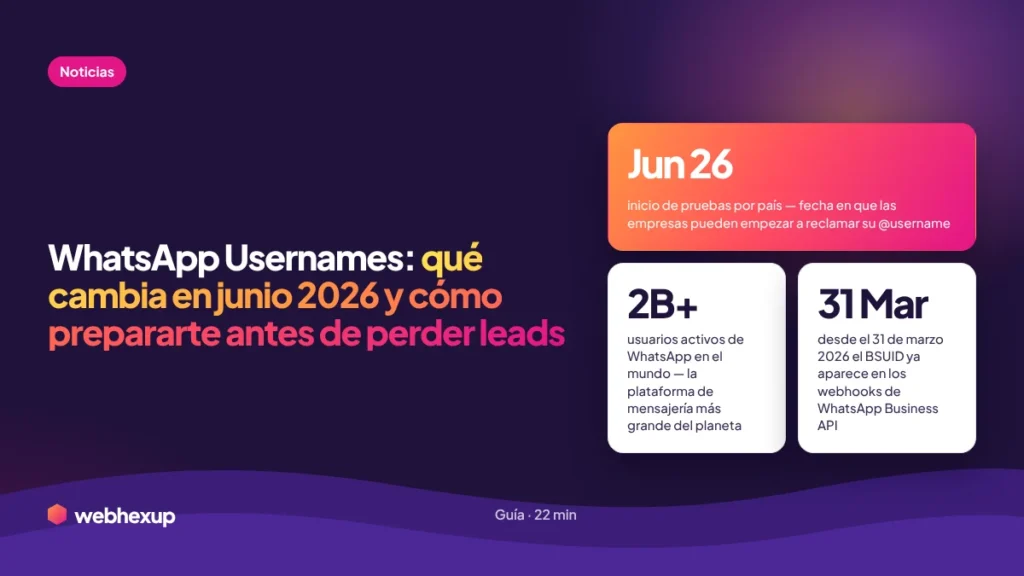
🚨 Deadline: June 2026. WhatsApp will begin rolling out the feature by country in June 2026. Meta has asked businesses to be prepared before that date. If you use WhatsApp for sales, customer service, or Click-to-WhatsApp ads, this change will affect your CRM, your automation workflows, and your ability to identify new leads.
WhatsApp will stop automatically sharing your new customers’ phone numbers. Instead, you’ll receive an internal code called a BSUID. If your CRM, chatbot, and campaigns are built around the phone number as the primary identifier—part of that system will quietly break starting in June 2026. Here’s everything you need to know to prevent that from happening.
Confirmed by Meta Developer Docs, WABetaInfo, 360Dialog, and Hubtype—as well as WhatsApp’s official announcement to businesses via WhatsApp Manager.
As of March 31, 2026, the BSUID already appears in WhatsApp Business API webhooks (360Dialog). Starting in April 2026, the Contact Book began automatically mapping numbers to BSUIDs.
Your current customers whose numbers you already have remain exactly the same. The change applies only to new contacts who choose to use a username. The phone number doesn’t disappear—it just is no longer required.
I received the official announcement from WhatsApp Business last week. The first thing I did was verify it with multiple sources: Meta’s developer documentation, certified WhatsApp Business API partners such as 360Dialog and Hubtype, and reports from WABetaInfo. Everything matches. This change is real, has a set date, and affects any business that uses WhatsApp as a sales or customer service channel in any Spanish-speaking country—Mexico, Argentina, Spain, Colombia, Chile, Peru, and the rest of the region.
WhatsApp has over 3,000 million active users. In Latin America and Spain, it’s the dominant messaging channel for businesses. This change doesn’t just affect large corporations with WhatsApp APIs—it affects any business that uses WhatsApp Business and wants its customers to find it, message it, and be correctly identified in their systems. If you use Meta Ads to generate leads via WhatsApp, this guide is especially relevant to you.
What are WhatsApp Usernames
and why are they being launched now?
WhatsApp Usernames are unique @handle-style identifiers—just like on Instagram or Telegram—that will allow users and businesses to find and message each other on WhatsApp without needing to know or share the other party’s phone number.
WhatsApp is rolling them out because using a phone number as the sole identifier creates friction and privacy concerns that are driving users to prefer platforms like Telegram or Signal. Meta surveyed more than 40,000 users across ten markets and found that control over personal information—especially phone numbers—is one of the top concerns when using WhatsApp (source: Hubtype / Meta Research). Usernames are Meta’s structural response to that demand.
For businesses, the benefit is twofold: more users willing to start conversations (without the hesitation of revealing their phone number) and a distinct, searchable brand identity within WhatsApp—something that didn’t exist until now.
Official launch timeline:
what’s already happened and what’s coming up.
| Date | Milestone | What It Means for Your Business |
|---|---|---|
| Jan. 2025 | Meta announced the plan to WhatsApp Business API partners | WhatsApp’s certified BSPs began preparing their integrations |
| Nov 2025 | WhatsApp Beta for Android 2.25.33.2 includes the feature under development | WABetaInfo confirmed that the feature was real and in advanced development |
| Feb 16, 2026 | BSUID visible in test webhooks via Meta Dashboard | Developers were able to begin familiarizing themselves with the identifier format |
| March 16, 2026 | Contact Book available for management in Business Manager | Businesses were able to verify that the Contact Book was enabled (it is ON by default) |
| March 31, 2026 | BSUID appears in all live webhooks | As of this date, all messages include the BSUID — confirmed by 360Dialog |
| Apr 2026 | Contact Book begins automatically mapping phone numbers to BSUIDs | Your current customers are protected—their phone numbers are mapped to their future BSUIDs without you having to do anything |
| May 2026 | Testing: sending messages via BSUID (pending final confirmation) | You can start testing workflows that use BSUID instead of a phone number |
| Jun 2026 | 🔴 Testing begins by country · Businesses can claim @username | Preparation deadline — the first users with usernames begin to arrive |
| 2H 2026 | Progressive global rollout for users and businesses | Mass adoption — the number of users with usernames grows week by week |
Key milestone: The BSUID has been available in your webhooks since March 31, 2026 (360Dialog). That means if you have an integration with the WhatsApp Business API, you can start seeing it in your logs today. You don’t have to wait until June to start understanding how the new identifier works.
What is the BSUID:
the most important concept behind this entire change.
The BSUID (Business-Scoped User ID) is the new identifier that WhatsApp assigns to each user within the context of each business. When a user activates a username and contacts your business without revealing their phone number, you’ll receive this unique code instead of the phone number.
- It’s unique per user AND per business: the same user will have a different BSUID for each business they interact with—it’s not a universal identifier
- It’s persistent: it doesn’t change between sessions. If a user messages you today and again in three months, the BSUID remains the same—you can track the relationship
- It’s delivered to the same place as the phone number: in the API webhooks, where the phone number used to be, the BSUID can now be received
- If the user changes their number, WhatsApp generates a new BSUID—just as it does today with chat history
- You cannot compare it across businesses: your company’s BSUID for that user is different from any other company’s—privacy by design
- You can’t use it for authentication messages: OTPs and verification messages still require a phone number—as confirmed in Meta’s official documentation
- You cannot transfer it between accounts: if your company has multiple WhatsApp Business numbers, the BSUID from one account won’t work on another
Think of the BSUID as a “private partner key” that WhatsApp generates for each user-business relationship. It’s more limited than a phone number in terms of portability, but it’s sufficient to maintain the continuity of the conversation, the history, and the automation workflows within your own ecosystem.
What exactly
is changing for your business.
When a user who has activated their username messages you for the first time, you won’t automatically see their phone number. Instead, you’ll receive their BSUID. If you need the number to complete a transaction (shipments, payments, verification), WhatsApp will provide native tools to request it within the chat—the user will see a “Share Contact Info” button and decide whether to do so.
Until now, the phone number was the primary identifier on WhatsApp—the field that linked the user to their CRM record, the data that triggered campaigns, and the anchor of any service workflow. Starting with this rollout, you’ll need a two-dimensional identity model: phone number AND BSUID as separate fields on the same customer record.
This is the positive change. Starting in June 2026, your business can have a unique @username on WhatsApp—such as @yourbusiness—that customers can search for directly in the app to find you and message you without needing to know your phone number. Businesses with Meta Verified, an Official Business Account, or a verified display name will have priority to reserve their username before the general launch.
Click-to-WhatsApp (CTWA) ads are one of the fastest-growing ad formats in Spanish-speaking markets. With the launch of usernames, some users who click on your ad will arrive in your inbox without a visible phone number—only with a BSUID. If your lead tracking system isn’t updated to capture BSUIDs, those leads will fall through the cracks without you even noticing.
What DOESN’T change:
dispelling the fears.
Chats you’ve already started with customers whose numbers you know aren’t affected. You’ll still see their number, you’ll be able to message them as usual, and the relationship remains the same. WhatsApp’s Contact Book has been automatically mapping all current numbers to their BSUIDs since April 2026—if one of your customers activates a username, you’ll still be able to contact them by their number thanks to that background mapping.
Your WhatsApp Business phone number won’t disappear or be replaced. The username is an addition, not a replacement. Customers who already have you saved in their contacts will continue to find you by your number. The username adds a new way for new customers who don’t have your number to find you.
Your business’s display name, profile photo, business description, catalog, and all the information in your WhatsApp Business profile remain unchanged. Users will continue to see exactly the same information when they enter your chat.
WhatsApp confirmed that authentication messages—verification codes, OTPs, identity confirmations—continue to be sent only to phone numbers. The BSUID is not used for authentication. If your business sends these types of messages, that process remains unchanged.
Which workflows will break
if you don’t prepare your system in time.
The real danger of this change isn’t that something fails in a visible, spectacular way—it’s that it fails silently. Messages keep coming in, agents keep responding, but behind the scenes, the system loses track. Here’s what can break:
A user with a username clicks on your CTWA ad and messages you. The message arrives in your inbox, but without a phone number—only with a BSUID. If your CRM or tracking tool isn’t updated to capture the BSUID, that lead falls through the cracks. The lead exists; it’s in the chat, but it’s not in your CRM. You lose track of the lead’s source and the ability to do remarketing.
Many WhatsApp chatbots start with a message like “Hi! What’s your phone number?” assuming the user hasn’t shared it yet. With users arriving via username, this flow becomes confusing—you’re asking for something that WhatsApp is already handling differently. Worse yet: if the bot uses the number as an identifier to look up the user in the CRM, the entire flow breaks down when the number isn’t available.
One of your customers activates their username. They message you from that username. Your system can’t find the phone number and creates a new record. Now you have two entries for the same customer in your CRM: one with their phone number (from the past) and one with their BSUID (from the present). The history becomes fragmented, the sales team doesn’t see the full context, and remarketing campaigns may reach them twice. This is what experts call a “silent failure”—nothing visibly breaks, but the damage accumulates.
Hubtype and 360Dialog confirmed that if you don’t adopt the BSUID before the rollout, two critical flows break silently: incoming Click-to-WhatsApp messages and inbound service messages. The agent sees the message in the chat, but the ticketing system or CRM cannot link it to any known customer record—customer service loses context.
Step-by-step preparation guide:
what to do before June 2026.
This guide is organized into 6 steps in order of urgency. It applies whether you use the WhatsApp Business app or the API—in each step, you’ll find instructions for both cases. You can complete the first two steps today, without touching any code.
📱 WhatsApp Business App
The free app you install on your phone. It’s used by most small businesses and entrepreneurs. The impact is smaller—you don’t have to deal with APIs or webhooks—but you should still claim your @username and prepare how you’ll serve customers without a visible phone number.
⚙️ WhatsApp Business API
The enterprise version with integrations, CRM, chatbots, and CTWA campaigns. The impact is critical—the BSUID changes how you identify customers in your systems. It requires technical action before June.
The Contact Book is what protects your current customer base during the transition. It’s enabled by default, but you must confirm it. Starting in April 2026, it will automatically map your customers’ phone numbers to their BSUIDs—every day that goes by without it is a customer who may go unmapped.
📱 From the app
- Open WhatsApp Business on your phone
- Tap the three dots (⋮) in the upper-right corner
- Go to Settings → Account
- Look for the Privacy → Contact Book option
- Make sure it’s turned on
- If you don't see this option yet, update the app to the latest version from the app store
Note: This option is being rolled out gradually—it may not appear in your version yet
⚙️ From WhatsApp Manager (API)
- Go to business.facebook.com
- In the side menu, click WhatsApp Manager
- Select your WhatsApp Business account
- Go to Account Settings
- Look for the Contact Book section
- Make sure the toggle is set to ON and save
As of March 31, 2026, the BSUID already appears in WhatsApp Business systems. If you’re using the app, you’ll see it when a user with a username contacts you. If you’re using the API, it’s already in your webhooks.
📱 From the app — what you’ll see
When a user with a username messages you, you’ll see their @username in the chat instead of their phone number. The username will appear as the primary identifier in the contact’s profile. You don’t need to do anything technical—WhatsApp displays it automatically.
What you do need to prepare: adjust how you register new customers. If you jot down phone numbers on a piece of paper, in an Excel spreadsheet, or in a simple CRM, add a column for the customer’s @username when they don’t provide a phone number.
⚙️ From the API — where to find the BSUID
Twilio
Field: ExternalUserId in the incoming message payload
Direct Meta Cloud API
Field: business_scoped_user_id in the contacts object — Meta Developer Docs
360Dialog / Wati / AiSensy
Check the logs panel on your dashboard — complete technical guide from 360Dialog
⚙️ How to verify that the BSUID is received correctly (API only):
- Go to the webhooks log on your integration platform
- Open any recent incoming message (after March 31, 2026)
- Look for the field
business_scoped_user_idorExternalUserId - If you see a long alphanumeric string (up to 128 characters)—it’s arriving correctly
- If you don’t see it, contact your BSP—a configuration update may be required
The goal is to ensure you never lose track of a customer because they arrived without a phone number. The solution varies greatly depending on whether you use the app or the API.
📱 If you’re using the app—here’s what to do
If you keep track of your clients in a spreadsheet, an address book, or Excel:
- Add a “WhatsApp Username” column next to the phone number column
- When a new client arrives with a @username but no phone number, record the @username as the primary identifier
- If the customer later shares their number, link it to that same row
- Save WhatsApp chats under the customer’s name for reference—WhatsApp Business lets you tag chats to organize them by status (lead, customer, pending order, etc.)
If you use WhatsApp Business labels (New Customers, Order Completed, etc.)—they continue to work exactly the same way with users who have a username
⚙️ If you use an API and CRM — here’s what to do
- Add a BSUID field to your CRM—text type, up to 128 characters, indexed. In HubSpot: Settings → Properties → Contacts → Create Property → type “Single-line text” → name: WhatsApp BSUID
- Update the search logic: if a contact arrives with a phone number → search by phone number and add the BSUID. If a contact arrives with only a BSUID → search by BSUID and create a record if it doesn’t exist
- Zoho CRM: Modules → Contacts → Custom Fields → Add Field → Single-line text
- Salesforce: Setup → Object Manager → Contact → Fields → New → Text (128)
- Duplicate check: Simulate a message without a phone number and verify that it does not create a duplicate
With the app, the impact is mainly operational—how your team handles a customer who arrives without a phone number. With the API, it’s technical—chatbot flows that assume a phone number is always available.
📱 If you’re using the app — protocol for your team
When a message arrives from a customer with @username and no visible phone number:
- Don’t ask for the number in your first message—it’s unnecessary and creates friction. Respond as usual
- If you need the number to arrange a delivery or confirm a payment, ask for it at that moment with a natural message: “To arrange the shipment, I’ll need your phone number—would you mind sharing it with me?”
- Tag the chat with the customer’s name from the start—that way you can easily find it even if you don’t have their number saved
- Train your team: “If a customer messages with @username, they’re a regular customer. Treat them the same. Only ask for their phone number if the process requires it.”
⚙️ If you use an API—chatbot audit
First message asking for a phone number → make it conditional
CRM search by phone number only → add search by BSUID
Tickets requiring a phone number → make it optional
OTP / authentication flows → no changes needed
If you run Click-to-WhatsApp ads in Meta Ads Manager, this step applies regardless of whether you use the app or the API—although the level of technical detail differs.
📱 If you use the app with CTWA ads
- Your ads continue to work exactly the same way—the user clicks and messages you
- The difference: some users will appear with @username and no visible phone number in the chat
- In the first message of your ad (the automatic welcome message you set up in Meta Ads Manager), don’t ask for their number—just welcome them and offer direct help
- If your conversion flow requires the phone number (for call tracking, for example), ask for it naturally later in the conversation once the customer has already shown interest
- Record all new leads in your tracking sheet with @username when you don’t have a phone number
⚙️ If you use APIs with CTWA and CAPI
- Confirm with your BSP that the BSUID is being sent to the CRM when a lead arrives from CTWA—see the Invent BSP guide
- Update CAPI events: Add the BSUID as
external_idin the conversion events sent to Meta to maintain attribution - Update custom audiences: Meta Ads Manager → Audiences → Customer List → include the BSUID column in addition to phone number when uploading lists
- Ensure that the CTWA welcome chatbot creates the record in the CRM using the BSUID when no phone number is available
- Update the lead dashboards to include BSUID as a visible field next to the phone number
The last step is the same for everyone: secure your brand identity on WhatsApp and verify that everything works before the first users with usernames arrive.
📱 Claim your username from the app
- Update WhatsApp Business to the latest version
- Go to Settings → Business Profile
- When the username button becomes available (June 2026), a “Username” option will appear
- Enter your desired @name — no spaces, no special characters
- If your first choice isn’t available, use the second one from your prepared list
⚙️ Claim a username via WhatsApp Manager (API)
- Go to business.facebook.com → WhatsApp Manager
- Select your account → Business Profile
- Look for the Username section (available starting in June 2026)
- If you have a Meta Verified or Official Business Account, check to see if you already have a pre-reserved username available
- Claim your first choice on the first day it becomes available
Final checklist — check off before June 2026:
How to claim your brand’s username:
do it before your competition does.
Business usernames will be unique—no two businesses can have the same handle. This means it’s first come, first served. If your competitor claims @tuempresa before you do, you’ll have to use a variation.
- Meta-verified Official Business Accounts — highest priority
- Meta Verified accounts (blue checkmark) — early access
- Businesses with a verified WhatsApp Display Name—can reserve based on that name
- Businesses with a linked Facebook or Instagram Business handle — can claim that same handle
- From WhatsApp Manager in Meta Business Suite
- Reserved and approved usernames will be automatically activated when the feature launches
- Choose a simple, easy-to-remember name without special characters—just like an Instagram handle
- WhatsApp will share more details about the claim process once the feature is available in your region
Practical tip: Start preparing a list of potential usernames for your brand now—your main name, variations with underscores, abbreviations—and have them ready for when the claim button becomes available in your WhatsApp Manager. The early reservation window is limited.
Impact on Click-to-WhatsApp ads:
the fastest-growing lead generation channel in Latin America.
Click-to-WhatsApp (CTWA) ads are one of the fastest-growing ad formats in Spanish-speaking markets—especially in Mexico, Argentina, Colombia, Chile, and Spain. Companies report reductions in cost per lead of up to 60% compared to Meta forms. This change directly affects them.
| CTWA Element | Current Situation | After the launch |
|---|---|---|
| Lead coming from the ad | Always includes a visible phone number | May arrive without a phone number if the user has an active username |
| Lead ID in CRM | Phone number as the primary field | BSUID as the primary field when there is no phone number |
| Conversion attribution | Based on phone number to match with Meta CAPI | You need to include BSUID as an additional conversion signal |
| Welcome chatbot flow | You can assume you have the user’s phone number | Should work correctly even if no phone number is available |
| Remarketing to previous leads | Custom audience based on phone numbers | Audiences must support BSUID in addition to phone numbers |
| Lead tracking in the pipeline | Phone number as the primary search field | Search by BSUID when the phone number is unavailable |
The good news: BSUID is a persistent identifier. Once you capture a lead’s BSUID, you can track all of their future interactions with your business on WhatsApp without a phone number. The volume of leads may even increase because the barrier to entry is lower—more users are willing to message without revealing their number. To understand how this affects campaign attribution, check out our article on how attribution is changing in Meta Ads in 2026.
. The volume of leads may even increase because the barrier to entry is lower—more users are willing to message without revealing their number from the start.Frequently Asked Questions About
WhatsApp Usernames 2026.
Are WhatsApp Usernames required for users?
No. Usernames are completely optional. A user can continue using WhatsApp with their phone number exactly as they do today, without activating a username. The change only affects those who decide to enable this feature. Adoption will be gradual—not all of your customers will activate usernames right away.
When exactly will it launch in my country?
WhatsApp will roll out the feature in phases starting in June 2026 in test countries, according to WABetaInfo. The global rollout will take place during the second half of 2026. WhatsApp has not published the official list of countries for the initial launch. The recommendation is to be prepared before June regardless of your country, because API flows may receive BSUIDs from users in test countries even before the local rollout.
Do I need to use the WhatsApp Business API for this to affect me?
The most critical technical impact (BSUID in webhooks, Contact Book, CTWA) primarily applies to users of the WhatsApp Business API. If you use the standard WhatsApp Business app without the API, the immediate impact is less significant—but you should still claim your branded @username when it becomes available to protect your identity on the platform.
Does the BSUID completely replace the phone number?
No. The phone number remains WhatsApp’s primary identifier. The BSUID is an additional identifier used when the user chooses not to disclose their number. Both will coexist. For users who do not enable a username, absolutely nothing changes—their number remains visible. Confirmed in Meta’s official documentation.
Can I continue to retarget my existing customers?
Yes, nothing changes for customers whose numbers you already have. The Contact Book automatically maps your current customers’ numbers to their BSUIDs starting in April 2026 (360Dialog). If one of them activates a username, you’ll still be able to contact them by their number thanks to that automatic mapping—as long as you have the Contact Book enabled (it’s ON by default).
What happens if two businesses want the same username?
Usernames are unique—only one business can have @name. Businesses with verified accounts (Official Business Account, Meta Verified) have priority to claim their username before the general launch. For everyone else, it will be on a first-come, first-served basis once the claim process opens in WhatsApp Manager. The dispute resolution mechanism for similar brand names is not yet known.